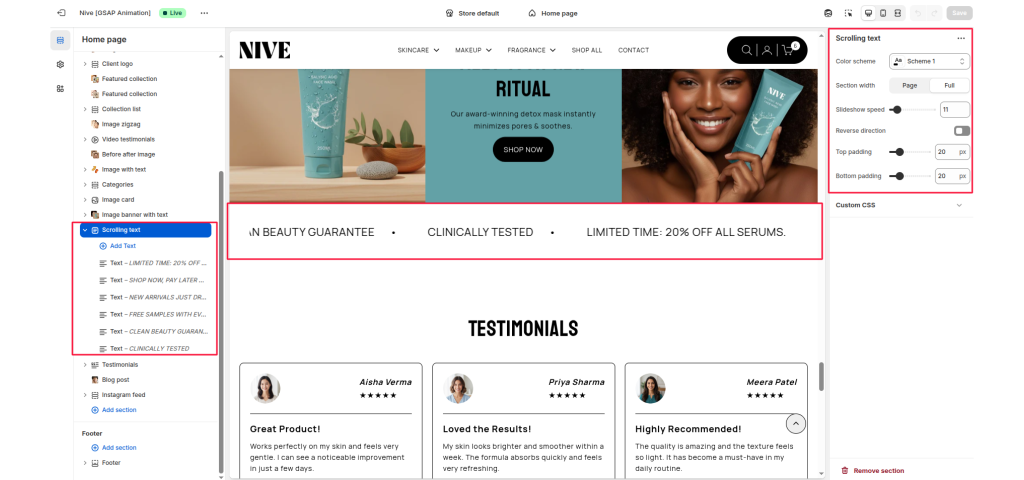
Scrolling text #
The Scrolling section is designed to showcase various calls-to-action and promotions dynamically. This moving display captures the attention of visitors, making it an effective tool for highlighting key offers and driving engagement.
Color system #
Select a color scheme defined in your theme. This controls the background and text color of the entire section.
Scrolling speed #
Controls the speed of the scrolling marquee (1 = slowest, 100 = fastest). Default: 10.
Pause hover #
When enabled, the scrolling pauses when a user hovers over the slider.
Slider Direction #
Sets the scroll direction of the marquee. Options: Left, Right.
Blocks #
Text: Displays a line of text in the scrolling marquee. Useful for promotions like “UP TO 20% OFF”.
Link: Optional. If provided, the image becomes a clickable link (e.g., to a brand page).
Text size #
Controls the visual size of your description text. Available options typically include:
- H1
- H2
- H3
- H4
- H5
- H6