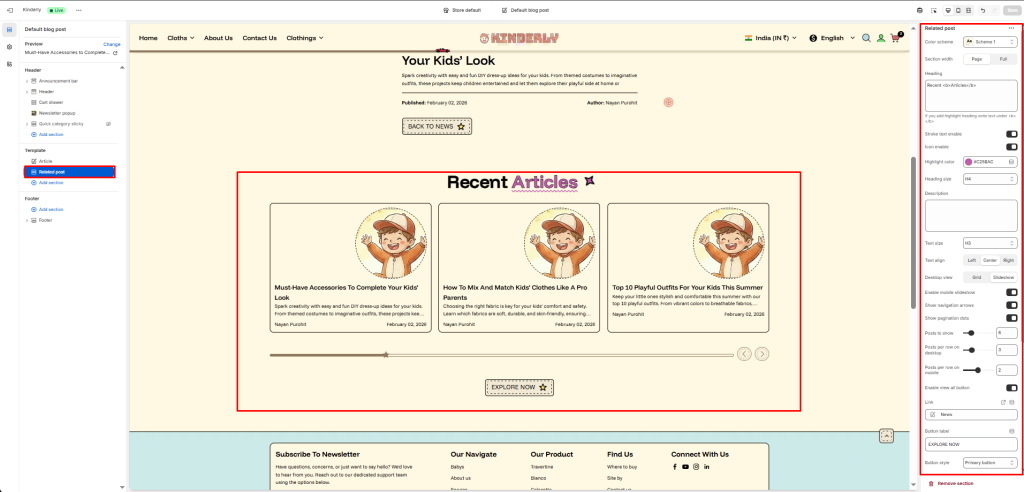
The Related Post section displays a grid or slideshow of recent blog articles below the main article, encouraging readers to explore more content.
Section Settings #
Color scheme #
Select a predefined color palette to ensure the blog section blends seamlessly with your store’s theme.
Section width #
Choose between Page or Full to control the horizontal span of the section.
Heading #
Add a main title for the blog section (e.g., Clean Journal).
Heading align #
Align the section heading to Left, Center, or Right based on your design layout.
Heading style #
Apply heading formatting (bold, italic, underline, etc.) or custom HTML for enhanced styling.
Desktop layout #
Select between Grid or Slider layout for desktop view.
Enable mobile slider #
Enable or disable the slider for mobile devices to optimize small-screen navigation.
Posts to show #
Set how many posts should appear in the section.
Show view all button #
Toggle ON to display a “View All” or “See All” button linking to the full blog page.
View all button label #
Customize the button text.
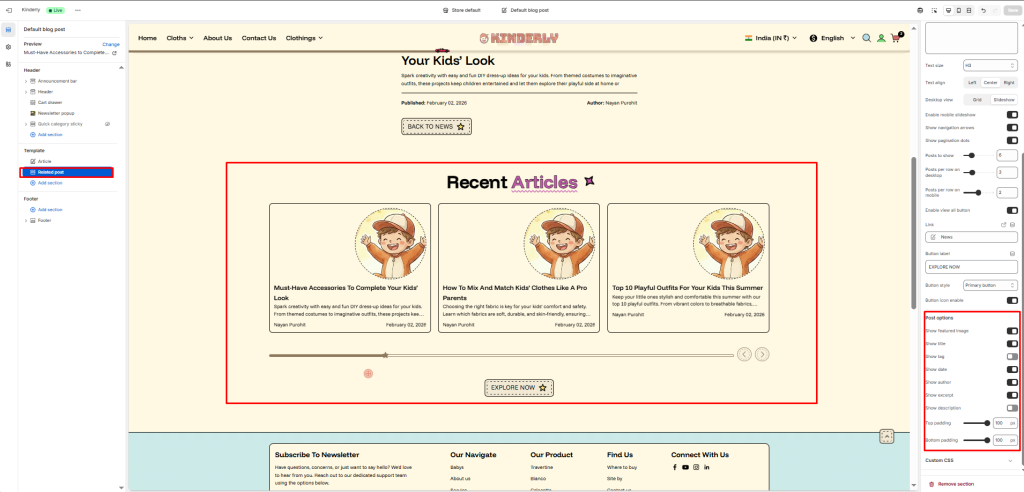
Post Options #
Control what post details to show under each article.
Show featured image #
Display the main image from each post.
Show tag #
Show blog tags above the title if available.
Show title #
Display the blog post’s title.
Show author #
Include the author’s name for credibility.
Show excerpt #
Display a short preview of the post content.
Show description #
Show the full or partial post description if needed.
Top padding / Bottom padding #
Adjust vertical spacing above and below the entire section.