Table of Contents
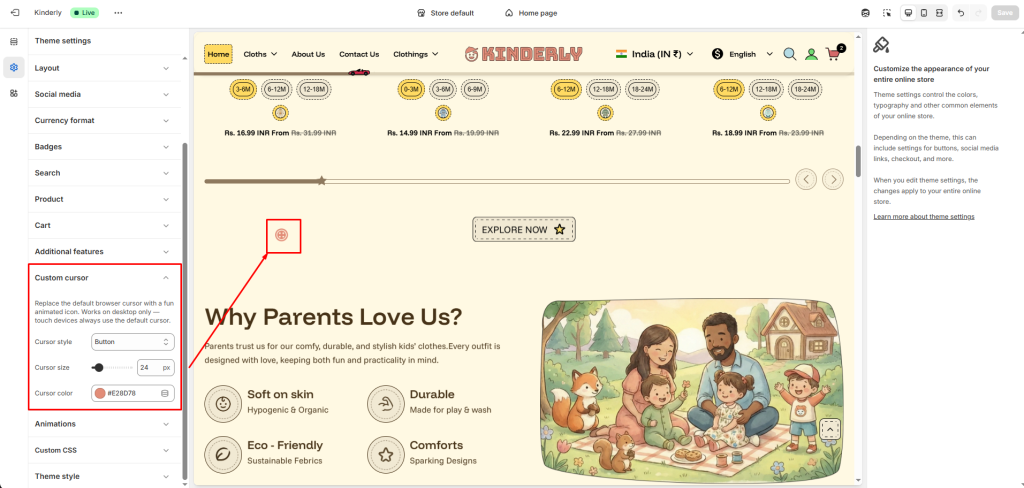
The Custom Cursor setting allows you to replace the default browser cursor with a fun, animated icon that matches your store’s design. This feature helps create a more engaging and playful browsing experience for customers.
Note:
Custom cursors work only on desktop devices. Mobile and tablet devices will continue to use the default system cursor.
Cursor Style #
This option allows you to choose the style of the custom cursor.
Options:
- Button
- Default
- Star
- Teddy bear
Different cursor styles may be available depending on the theme design.
Cursor Size #
This setting controls the size of the custom cursor icon.
You can increase or decrease the size using the slider.
Cursor Color #
This option allows you to customize the color of the custom cursor.
You can select any color using the color picker.